Until now, deleting large volumes of records meant either letting Evergrowth and your CRM drift apart or running a custom script outside the product. Auto-merging duplicate accounts at scale wasn't possible at all. And merging duplicate contacts left orphan accounts behind. The three changes below remove all of that, in a single sweep across Evergrowth and every connected CRM.
Bulk delete records across Evergrowth and your CRM in one go.
Until now, deleting large volumes of accounts or contacts meant either letting Evergrowth and your CRM drift apart, or running a custom script outside the product. Most CRMs ship with small bulk-delete caps and leave the rest to you.
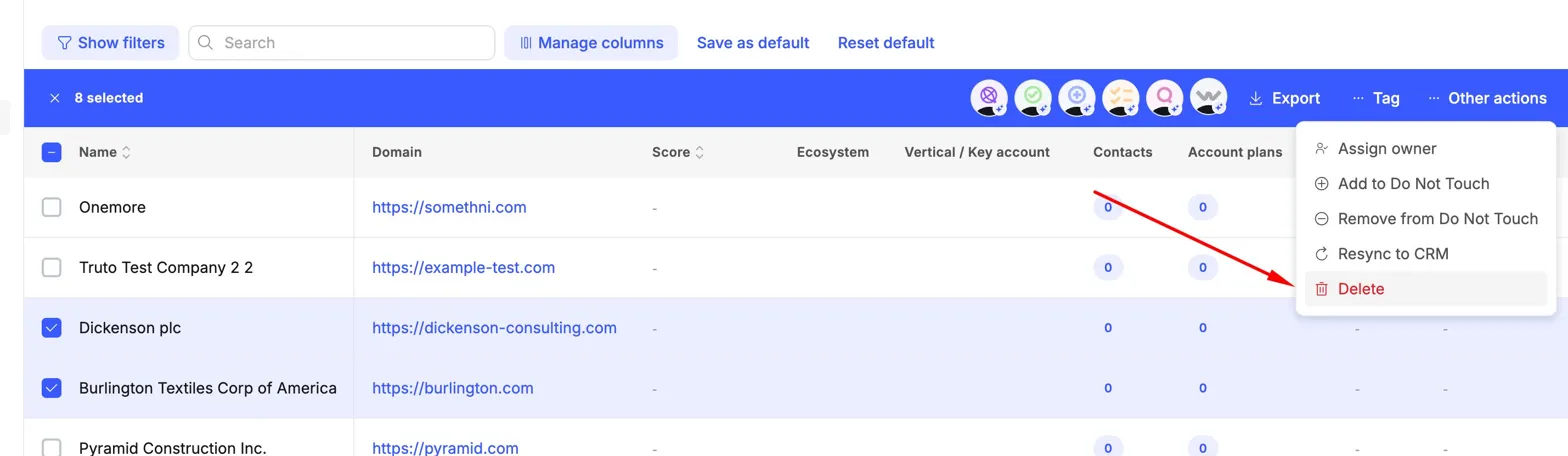
Now you can select any number of records in Evergrowth, open Other actions, and click Delete. The deletion runs across Evergrowth and every connected CRM at the same time.
While a job is running, the records are marked Pending deletion in the UI. Workflows skip them and CRM syncs are blocked for those records, so nothing recreates what you've already chosen to remove. You'll get a notification the moment the job completes, and you can track progress at app.evergrowth.com/feed/deletions.
Auto-merge every duplicate account group in one click.
Account duplicates pile up faster than any team can manually merge them. The same company shows up under two subdomains, twice from CRM imports, once from a CSV. Until now, the duplicates view made you click through every group, pick a primary, merge, repeat.
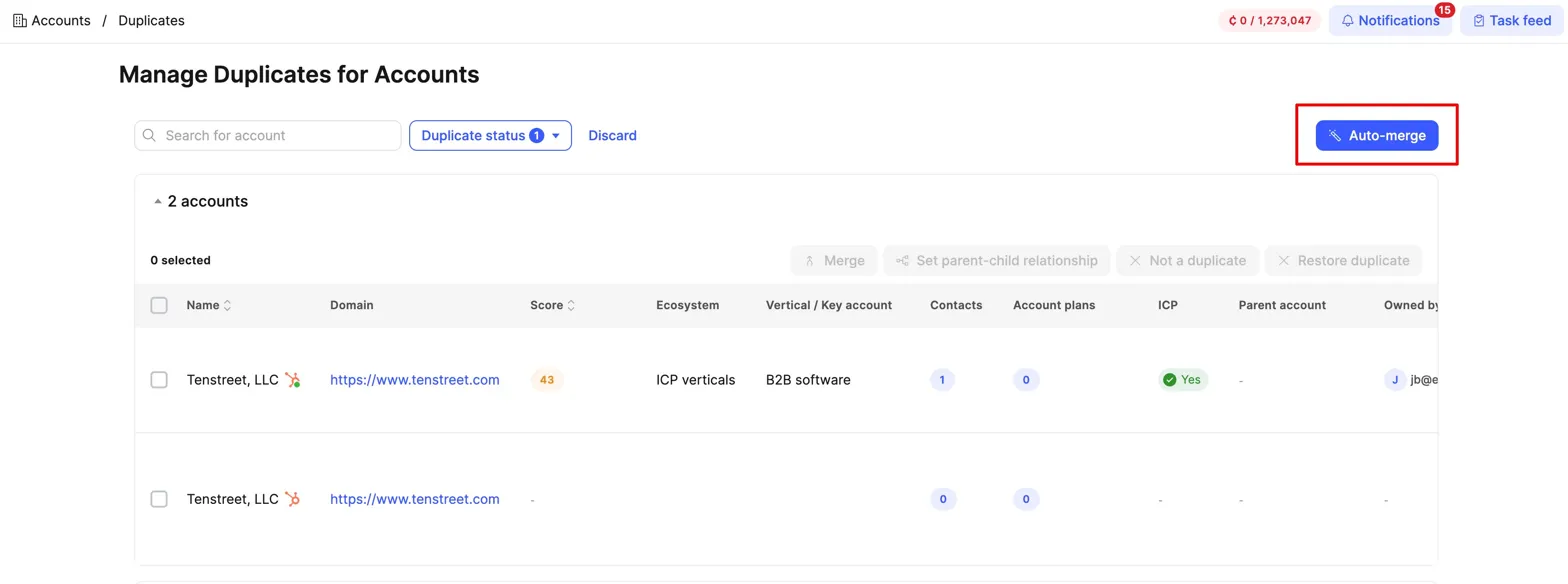
The new Auto-merge button on the duplicates view scans every active duplicate group in your workspace and merges each one into a single primary record in the background. You set the rules that decide which record becomes the primary, and the order they're applied in. The rule at the top wins; if two accounts tie, the next rule decides; and so on. Drag and drop to reorder.
Default priority rules:
- Latest qualification date. Account most recently qualified by agents wins.
- Most contacts available. Account with the largest contact base wins.
- Highest account score. Account with the strongest signals from research wins.
- Latest research date. Account whose research data was last refreshed wins.
- Connected to CRM. Account already linked to your CRMs wins.
- ICP status. Account marked Yes wins.
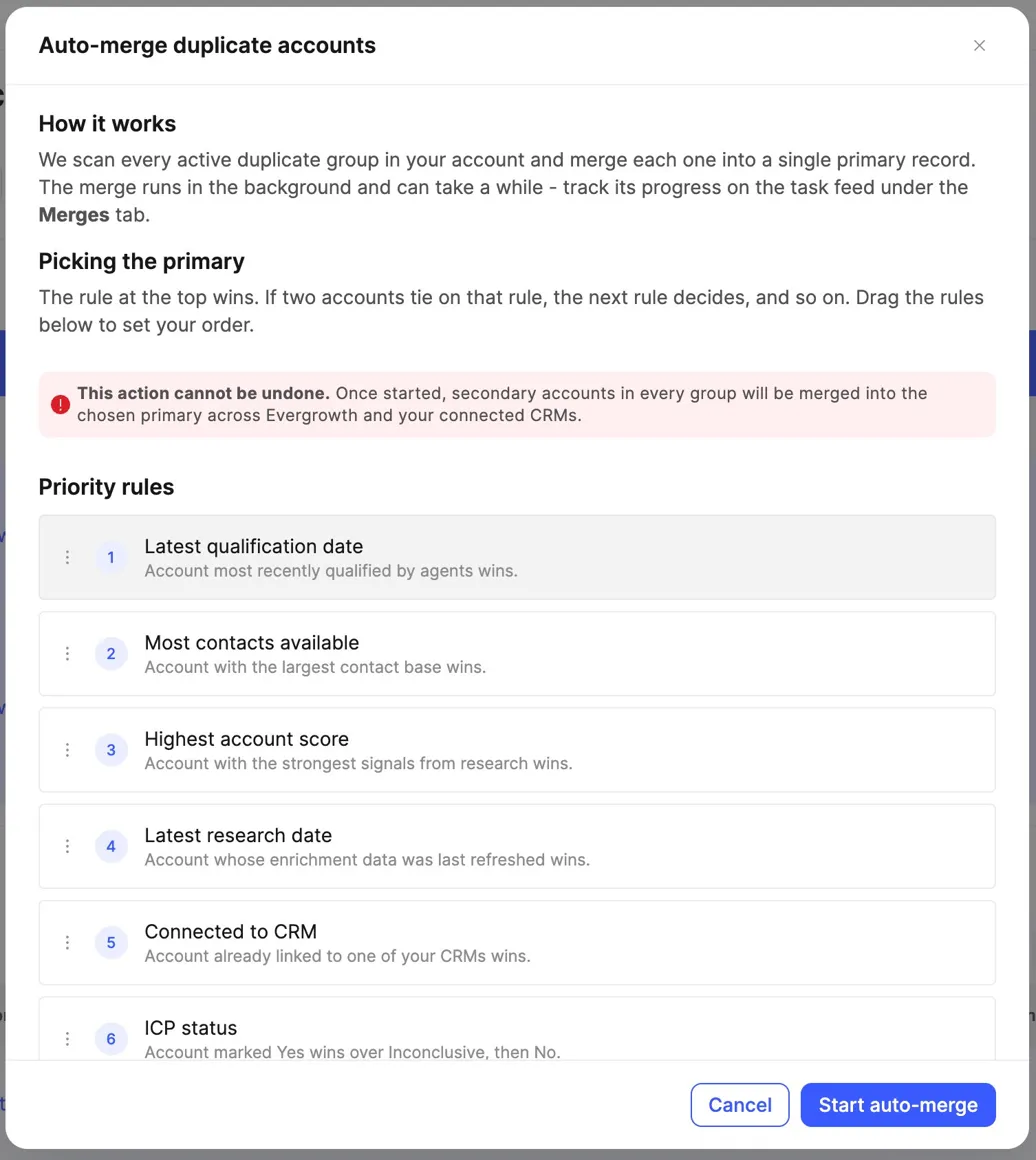
Records selected for merge are marked Pending merge in the UI until the job finishes. Track progress at app.evergrowth.com/feed/merges and you'll be notified when it's done. This action cannot be undone, so the modal walks you through the rule order every time before you start.
Merge a contact and its account in one step.
Merging duplicate contacts used to leave a second mess behind. When two duplicate contacts lived on two different account records, merging the contacts left an orphan account untouched. Cleaning that up meant a second trip through the duplicates view.
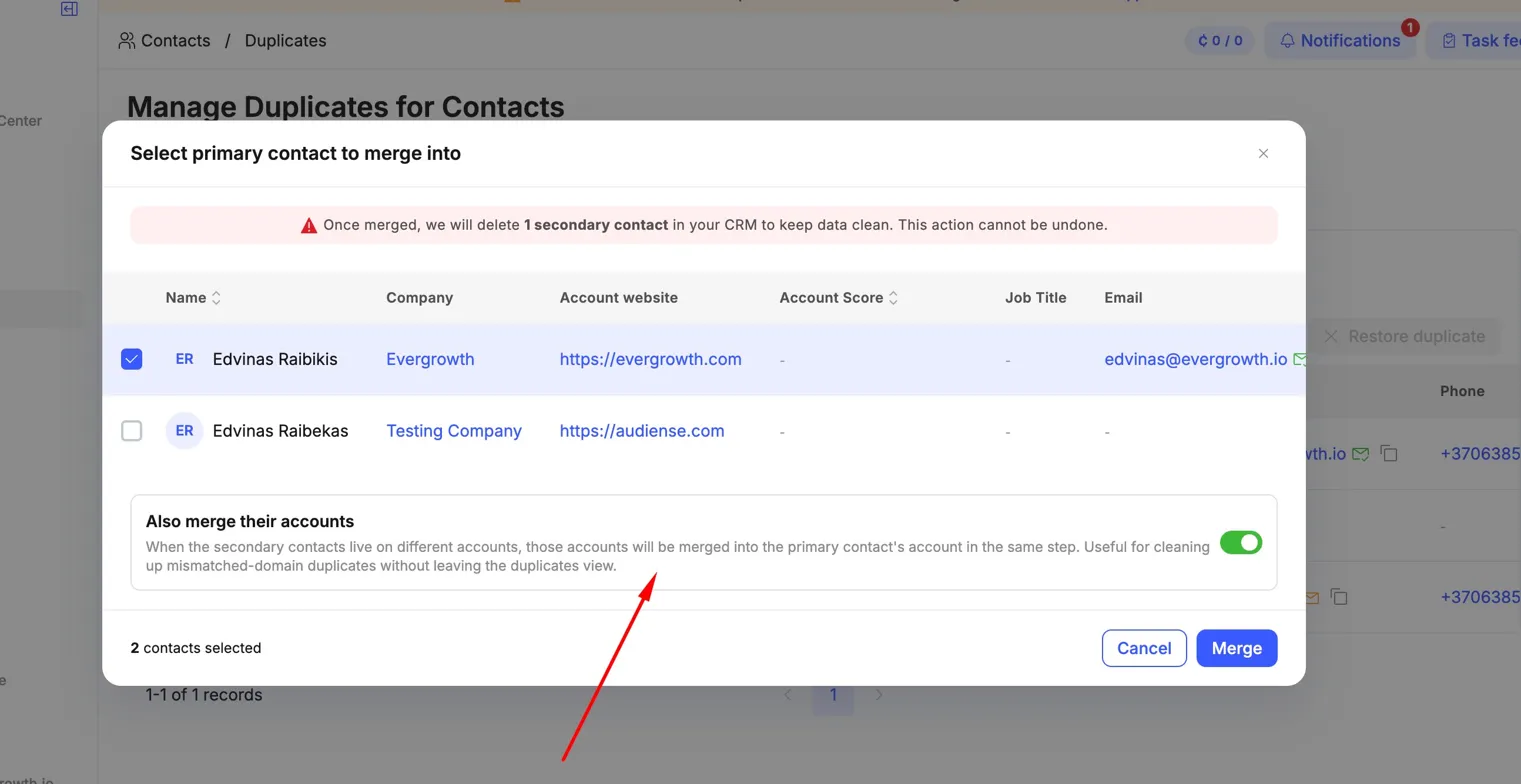
The contact-merge dialog now includes an Also merge their accounts toggle. Switch it on (the default), and the secondary contacts' accounts are merged into the primary contact's account in the same step.
The contact duplicates view also picked up a new Account website column so you can spot mismatched-domain duplicates at a glance before you merge.
Where you'll see this
- Bulk delete: any account or contact list view, select records, Other actions, Delete.
- Auto-merge accounts: Accounts → Duplicates → Auto-merge (top right).
- One-step contact and account merge: Contacts → Duplicates, select duplicates, Merge, Also merge their accounts toggle.
- Track running jobs: Task feed → Deletions or Merges tab. Direct links:
/feed/deletionsand/feed/merges.
What to watch for
These actions write to your connected CRMs. Worth flagging before you scale up:
- Deletions and merges cannot be undone. Once a job completes, the secondary records are gone in Evergrowth and in every connected CRM. Run a small batch first to confirm scope and rule order.
- Attio and Microsoft Dynamics jobs are slower. Tens of thousands of records can take a few hours in the worst case because neither platform offers native bulk delete. The job runs in the background and you can keep working.